
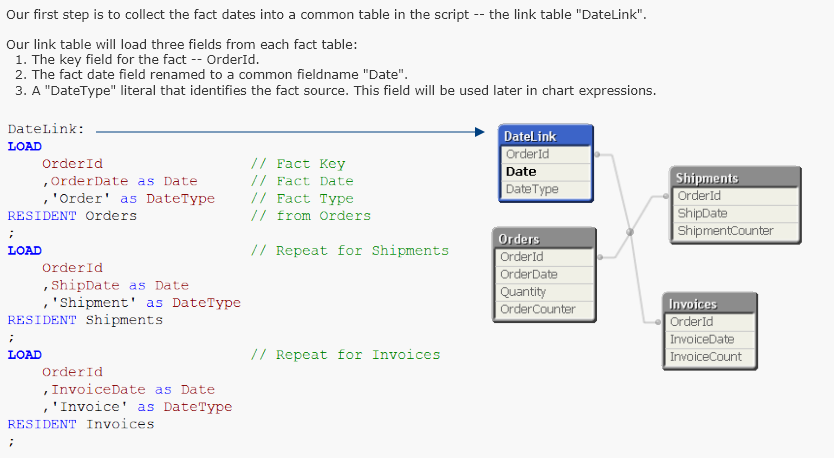
This tutorial presents a script pattern for assigning time dimensions to multiple fact dates in a data model. The pattern will demonstrate how to link all fact dates to a common calendar as well as using separate calendars for each fact date. Assigning dates to temporal groups such as “Yesterday”. This example demonstrates assigning dates to named range groups, such as “Today” or “This Month”. Note that a Date may belong to more than one group. For example, today’s date belongs to “Today”, “This Week”, “This Month”, “Last Two Months” etc. V2 update adds group named “Next Workday”.
Tutorial - Using Common Date Dimensions
 Tutorial - Using Common Date Dimensions - Qlik Sense
Version 1, Dec 5, 2013 Tutorial - Using Common Date Dimensions - QlikView
Version 1, Dec 5, 2013

Date Grouping
Date Grouping - Qlik Sense
Version 3, Dec 5, 2013 Date Grouping - QlikView
Version 2, Dec 5, 2013


